Creating a Runbook
Route: /rb/new · Edition: Pro+
The runbook builder lets you define a named, ordered sequence of steps. Each step has a type and a type-specific configuration.
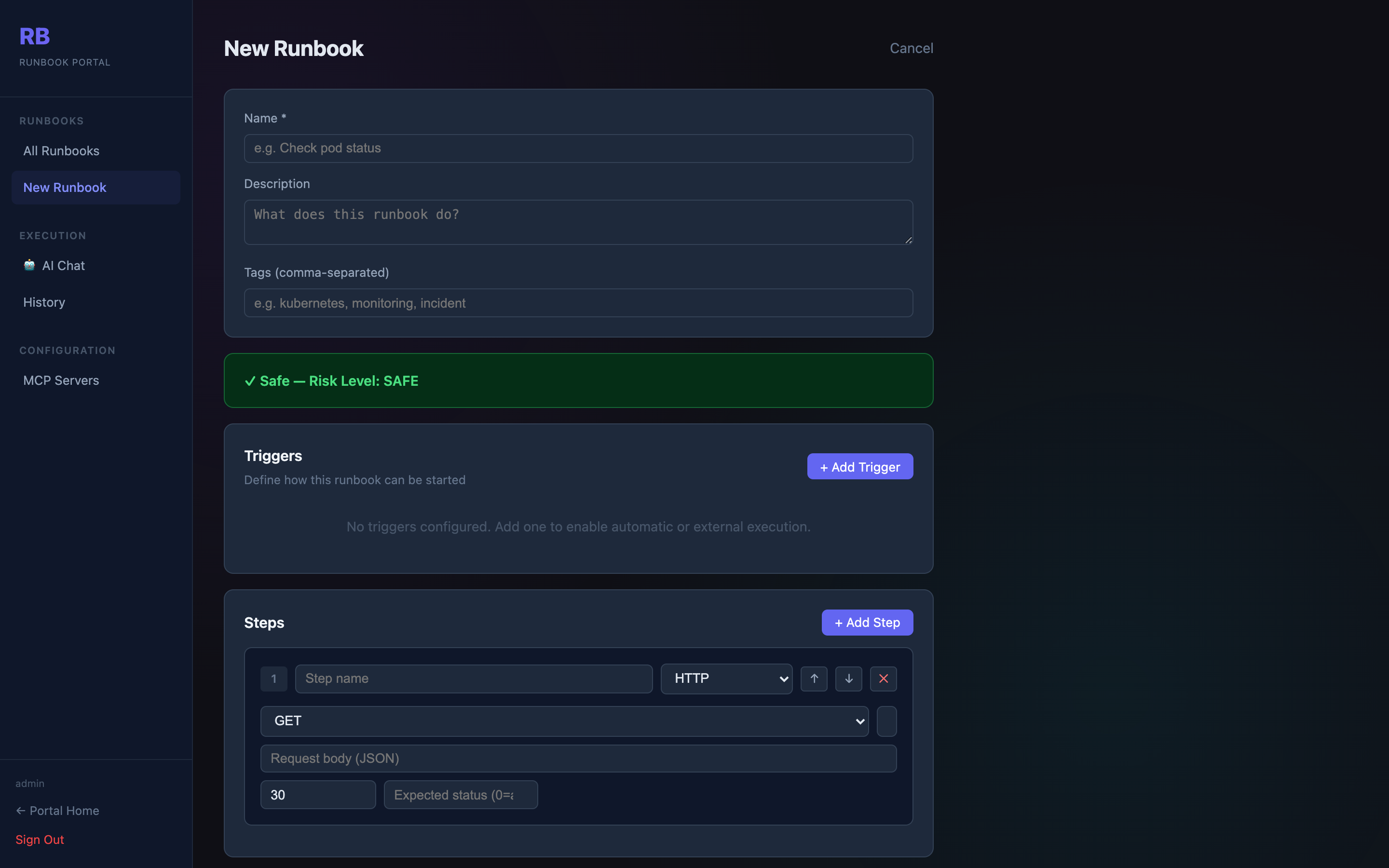
Basic fields
| Field | Description |
|---|---|
| Name | Unique runbook name (required) |
| Description | What this runbook does |
| Tags | Comma-separated tags for filtering and AI matching |
Triggers
Runbooks can be triggered manually, from the AI Chat, or via a webhook URL. Add a trigger to expose a POST /api/runbooks/:id/webhook endpoint with a secret token.
Steps
Each step has:
- Order — execution sequence (drag to reorder)
- Name — label shown in execution output
- Type — one of the supported step types below
Step types
| Type | What it does |
|---|---|
| HTTP | Make an HTTP request (GET/POST/PUT/DELETE/PATCH) to any URL |
| Jira | Create an issue, add a comment, or search tickets |
| Slack | Post a message to a Slack channel |
| Shell | Run a shell command on the server |
| MCP | Call a tool on a configured MCP server |
| Condition | Branch execution based on a previous step's output |
HTTP step config
Method:          GET | POST | PUT | DELETE | PATCH
URL:             https://api.example.com/health
Headers:         { "Authorization": "Bearer {{token}}" }
Body:            (JSON, for POST/PUT)
Timeout:         30 seconds
Expected status: 200
Shell step config
Command:  kubectl get pods -n production
Timeout:  60 seconds
Env:      { "KUBECONFIG": "/etc/kubeconfig" }
Safety validation
After adding or changing any step, the platform re-evaluates the runbook's risk level and shows a coloured alert. For Dangerous runbooks you must acknowledge the risk before saving.